VPN client
for all
your devices
SMProxy App is a fast and simple client for VLESS, Reality, VMess, Trojan, Shadowsocks and WireGuard/AmneziaWG. Import the configuration from your provider, pick a server and connect in one tap. The app ships no servers of its own.
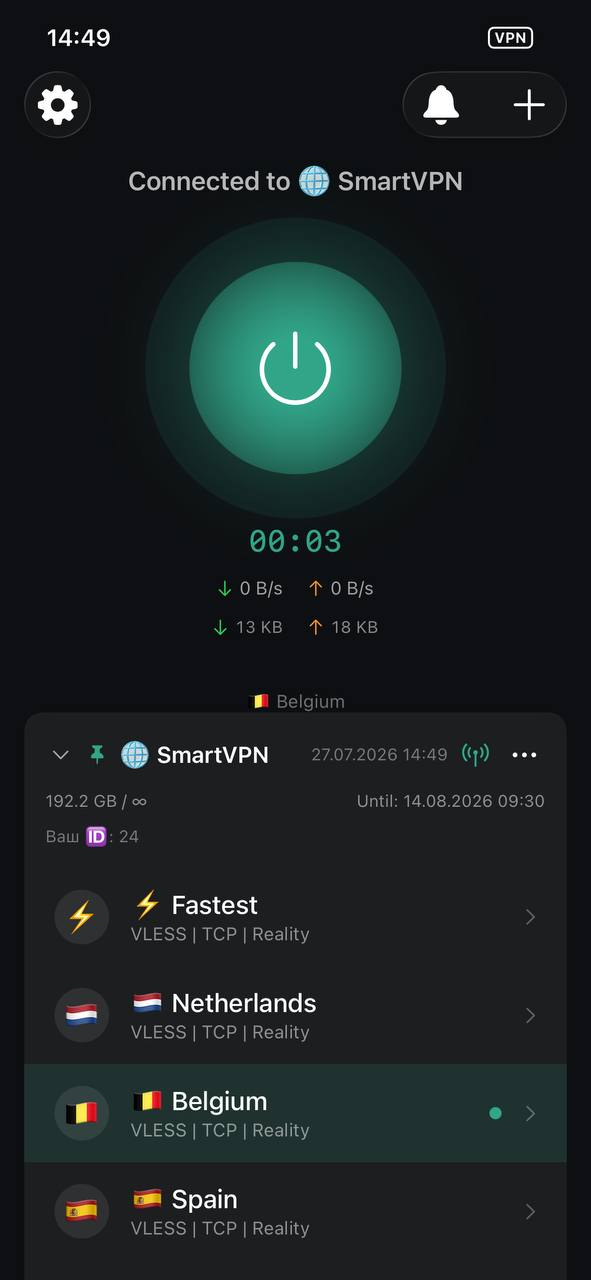
You bring the configuration
SMProxy is a client, like a mail app is a client. It contains no servers and no built-in connection. You add a subscription link, QR code or config file from your own provider, and the app connects to it using the Xray core.
Built to handle your configurations well
Modern protocols, a native interface on every platform, and full control over your own configurations.
Modern protocols
VLESS, Reality, VMess, Trojan, Shadowsocks and WireGuard/AmneziaWG — broad protocol support on a single core.
No added overhead
The app doesn't slow down the connection your server provides.
One tap
Once your configuration is imported, connecting is a single tap.
Key import
Add your provider's configs by link, QR code, config file or manually. Subscriptions refresh automatically.
Split routing
Send only what you choose through the tunnel — by address, and by app on Android.
All platforms
iPhone, iPad, Mac, Android, Android TV, Windows and Linux — one simple interface across all devices.
For everyone who manages their own connections
Frequently asked questions
No. SMProxy is a client. You import a configuration from your own provider — by link, QR code or file — and the app connects using it. We provide the software, not the connection.
Download SMProxy App
SMProxy App is available on every platform — iPhone, iPad, Mac, Apple TV and Android from the stores, Windows and Linux as direct downloads.
Apple
One app for the whole Apple ecosystem: iPhone, iPad, Mac and Apple TV — download straight from the App Store. Runs natively on Apple Silicon.
Android
From Google Play or directly via APK — including Android TV, where Google Play isn't available.
Windows
Desktop installer. Run the file and follow the setup wizard.
↓ Download for Windows .exeLinux
sudo dpkg -i ./SMProxy-amd64.debx86_64sudo dpkg -i ./SMProxy-arm64.debARM64sudo rpm -U ./SMProxy-x86_64.rpmx86_64sudo rpm -U ./SMProxy-aarch64.rpmARM64