VPN client
for all
your devices
SMProxy App is a fast and simple client for VLESS, Reality, VMess, Trojan, Shadowsocks, WireGuard/AmneziaWG, Hysteria 2 and TUIC v5. Import the configuration from your provider, pick a server and connect in one tap. The app ships no servers of its own.
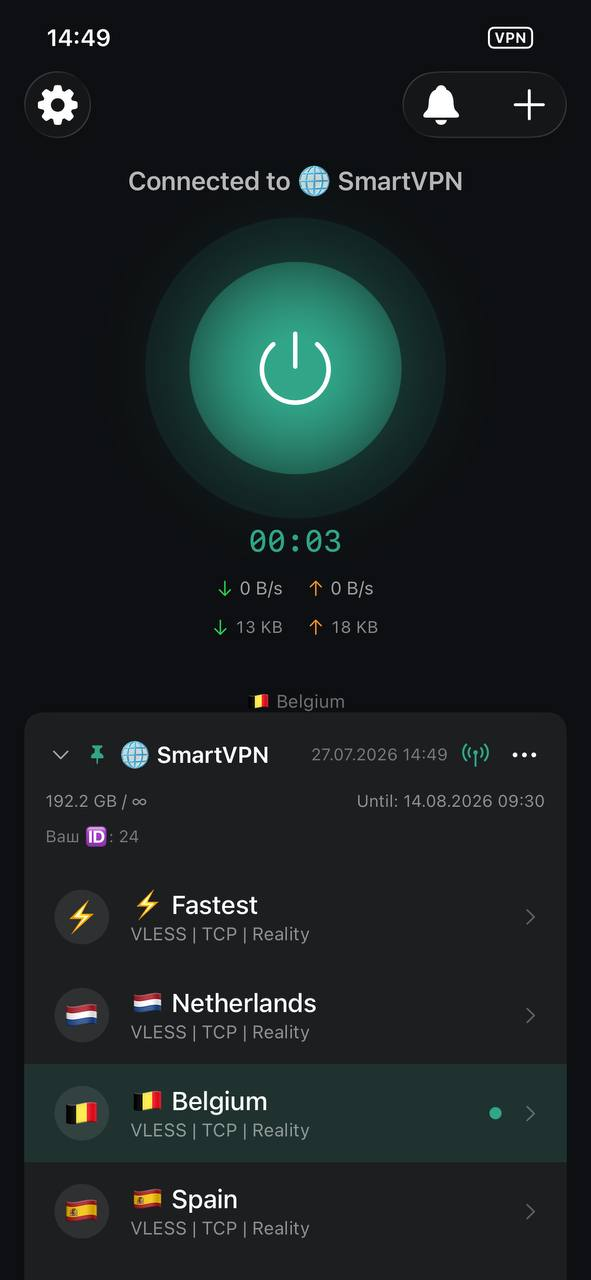
You bring the configuration
SMProxy is a client, like a mail app is a client. It contains no servers and no built-in connection. You add a subscription link, QR code or config file from your own provider, and the app connects to it using the Xray core.
Built to handle your configurations well
Modern protocols, a native interface on every platform, and full control over your own configurations.
Modern protocols
VLESS, REALITY, VMess, Trojan, Shadowsocks, WireGuard, AmneziaWG, Hysteria2 and TUIC. Use the protocols available in your configuration.
How it works →Automatic server selection
Create an Auto profile from a subscription, all servers or favorites. Select by latency and recheck availability at your chosen interval.
How it works →Server chains
Choose an entry, intermediate servers and an exit. DNS and geo rules are preserved from the entry server. Apple TV supports ready-made chains.
How it works →Subscriptions and filters
Import links, QR codes, Base64 lists and configuration files. Filter the available servers by protocol and transport.
How it works →Split routing
Choose what goes through the tunnel by domain, IP or geo rules, and by application on Android.
How it works →All your platforms
iPhone, iPad, Mac, Apple TV, Android, Android TV, Windows and Linux. Feature availability depends on the installed build.
How it works →Latest changes
New features may require a newer app build. Apple releases appear after App Store approval.
Save controls and Windows import
Fixed chain and automatic selection save buttons on Android. Added automatic import from a file beside the Windows installer or app.
Documentation →Automatic server selection
Added user-created automatic server selection profiles with latency-based selection and periodic availability checks.
Documentation →Server chains
Added a server chain builder with a route map. DNS, geo rules, and geo database sources are preserved from the first server—the entry.
Documentation →Protocol filters
Added server filtering by protocol.
Documentation →Full update timestamps
Fixed subscription update dates and times being truncated on narrow screens.
Documentation →
For everyone who manages their own connections
Frequently asked questions
No. SMProxy is a client. You import a configuration from your own provider — by link, QR code or file — and the app connects using it. We provide the software, not the connection.
Download SMProxy App
SMProxy App is available on every platform — iPhone, iPad, Mac, Apple TV and Android from the stores, Windows and Linux as direct downloads.
Apple
One app for the whole Apple ecosystem: iPhone, iPad, Mac and Apple TV — download straight from the App Store. Runs natively on Apple Silicon.
Android
From Google Play or directly via APK — including Android TV, where Google Play isn't available.
Windows
Desktop installer. Run the file and follow the setup wizard.
↓ Download for Windows .exeLinux
sudo dpkg -i ./SMProxy-amd64.debx86_64sudo dpkg -i ./SMProxy-arm64.debARM64sudo rpm -U ./SMProxy-x86_64.rpmx86_64sudo rpm -U ./SMProxy-aarch64.rpmARM64